What Is Agentic AI? A Developer's Guide to AI Agents
What agentic AI really means, how AI agents differ from chatbots, and the building blocks you need to start building them.
A year ago I was tuning prompts to coax a slightly better paragraph out of a model. Now I hand the same model a set of functions and let it decide which ones to call, in what order, until a job is done. That jump - from "generate text" to "take actions" - is what people mean by agentic AI. And like most fast-moving terms, it is half a genuinely useful idea and half marketing haze.
I want to cut through the haze with code. In this post I will explain what agentic AI actually means, how an AI agent differs from the chatbot you built last year, the concrete building blocks you need to assemble one, and the failure modes that will bite you in production. I will keep it grounded in real trade-offs, because that is the only way this stuff becomes useful rather than buzzwordy.
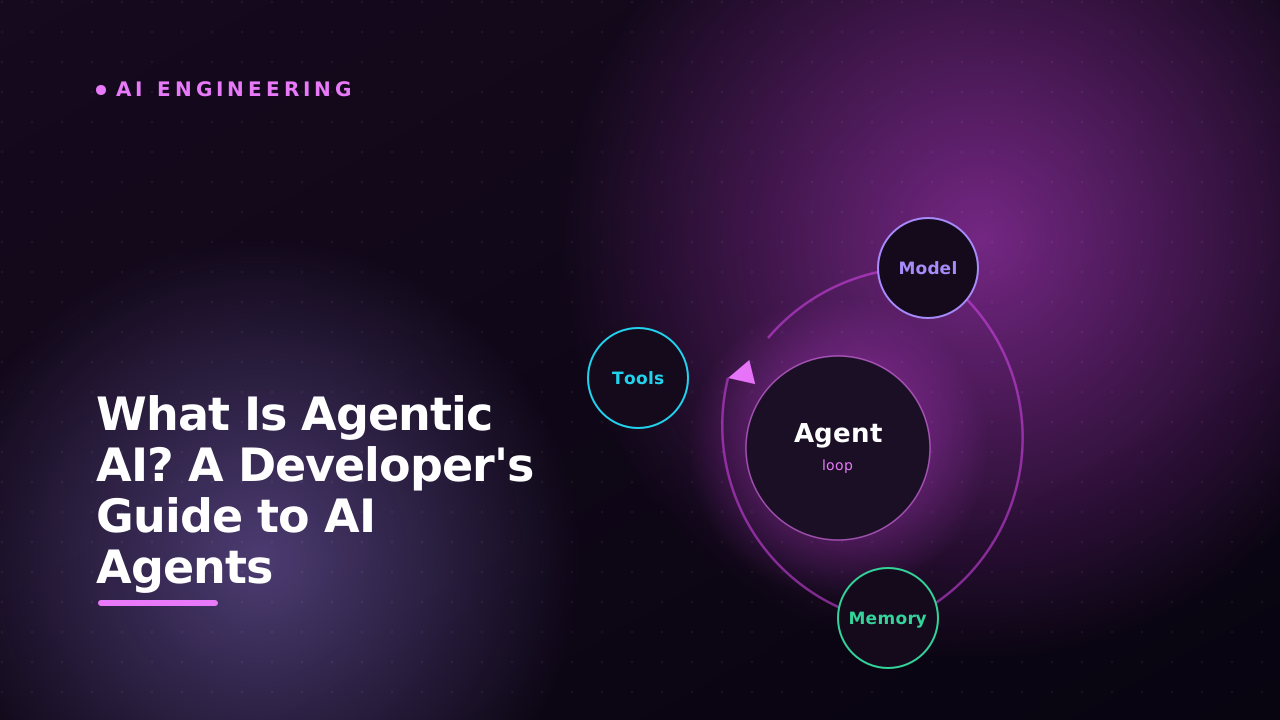
The short version: an agent is a language model wired into a loop, given tools it can call, and allowed to decide for itself which tool to use next until a goal is met. The model stops being a text generator and starts being a decision-maker. Everything interesting - and everything dangerous - flows from that one change.
A chatbot answers, an agent acts
A normal LLM call is a pure function. You send a prompt, you get text back, the interaction ends. If the user asks "what is the weather in Colombo," a plain chatbot will happily invent a plausible-sounding answer, because it has no way to actually look. It is a very fluent guesser.
An agent breaks that single-shot contract. Instead of forcing the model to answer immediately, you hand it a set of tools and let it run in a loop. Faced with the weather question, the model does not guess - it decides to call a get_weather tool, reads the real result, and only then writes its answer. The defining traits are:
- Autonomy: the agent chooses the next action rather than following a fixed script.
- Tool use: it can reach outside its own weights to call APIs, query databases, run code, or read files.
- A loop: it observes the result of each action and decides what to do next.
- A goal: it keeps going until the task is done or it gives up, not just until one reply is generated.
The simplest mental model: a chatbot is a single API call, an agent is a
whileloop around that call with the keys to your tools. That loop is the whole revolution.
The agent loop, in plain terms
Strip away the frameworks and an agent is a surprisingly small loop. You can describe the whole thing in five steps:
- Send the user goal plus the list of available tools to the model.
- The model replies either with a final answer or with a request to call a tool.
- If it is a tool call, your code executes that tool for real.
- You feed the tool's result back into the conversation.
- Repeat from step 2 until the model returns a final answer.
Here is that loop with no framework at all, just the raw Anthropic SDK, so you can see there is no magic underneath:
import Anthropic from "@anthropic-ai/sdk";

const client = new Anthropic();

const tools: Anthropic.Tool[] = [
  {
    name: "get_weather",
    description: "Get the current weather for a city.",
    input_schema: {
      type: "object",
      properties: { city: { type: "string" } },
      required: ["city"],
    },
  },
];

async function runAgent(goal: string) {
  const messages: Anthropic.MessageParam[] = [
    { role: "user", content: goal },
  ];

  // The loop. A real agent rarely needs more than a handful of turns.
  for (let step = 0; step < 10; step++) {
    const res = await client.messages.create({
      model: "claude-opus-4-8",
      max_tokens: 1024,
      tools,
      messages,
    });

    messages.push({ role: "assistant", content: res.content });

    // No tool requested? The model is done - return its answer.
    if (res.stop_reason !== "tool_use") {
      return res.content;
    }

    // Execute every tool the model asked for, collect the results.
    const toolResults: Anthropic.ToolResultBlockParam[] = [];
    for (const block of res.content) {
      if (block.type === "tool_use") {
        const output = await callTool(block.name, block.input);
        toolResults.push({
          type: "tool_result",
          tool_use_id: block.id,
          content: JSON.stringify(output),
        });
      }
    }

    messages.push({ role: "user", content: toolResults });
  }

  throw new Error("Agent exceeded its step budget");
}
That is genuinely it. The frameworks you have heard of - LangGraph, the various agent SDKs, CrewAI - are mostly ergonomics, observability, and state management layered on top of this exact loop. Two details in that code do more work than they look like they do. First, the model can ask for several tools in one turn, so you have to loop over every tool_use block and return a tool_result for each one, or the next call will reject your malformed history. Second, the tool results go back in as a user message, not an assistant one. That feels backwards the first time, but to the model your code is just another participant in the conversation. Understanding the bare version pays off later, because when an agent misbehaves it is almost always misbehaving inside this loop.
The building blocks you actually need
To go from "a loop that works in a demo" to "a thing I would put in front of users," you need five concrete pieces.
1. The model. Pick one that supports structured tool calling and is strong at reasoning, because the model is the planner. A weaker model can still chat well but will loop forever, pick the wrong tool, or pass malformed arguments. This is the one place not to cut costs blindly - a cheaper model that needs three extra retries is not actually cheaper.
2. Tools. A tool is just a function plus a schema describing its inputs. The schema is how the model knows the tool exists and what arguments it takes, so treat the description field as prompt engineering, not documentation. Clear names, tight descriptions, and small focused inputs dramatically improve how reliably the model picks the right tool.
async function callTool(name: string, input: any) {
  switch (name) {
    case "get_weather":
      return await fetchWeather(input.city);
    default:
      // Always handle the unknown case - models do hallucinate tool names.
      return { error: `Unknown tool: ${name}` };
  }
}
3. Memory. The messages array is the agent's short-term memory, and it grows with every turn. That is the catch nobody mentions in the demos: each loop iteration re-sends the entire history, so a long task quietly inflates both your token bill and your latency, and eventually slams into the context window. Real agents need a strategy for this - summarize old turns, drop stale tool results, or offload facts to a vector store or database the agent can write to and read back later. A crude but effective trim looks like this:
function trimHistory(messages: Anthropic.MessageParam[], keep = 12) {
  if (messages.length <= keep) return messages;
  // Always keep the first message (the goal), then the most recent turns.
  return [messages[0], ...messages.slice(-(keep - 1))];
}
4. Orchestration. This is the control logic around the loop: a step budget so it cannot run forever, retries when a tool fails, and a decision about when to hand off to a human. The naive for loop with a cap is the minimum viable orchestration, and honestly it is enough for a lot of real systems.
5. Guardrails. Because the agent takes real actions, you need limits on what it is allowed to do. More on that below, because it is the part people skip and regret.
Single agent or many?
Once one agent works, the obvious next idea is several agents that talk to each other. A common pattern is an orchestrator that breaks a job into subtasks and hands each to a specialist - a research agent, a coding agent, a reviewer. It is genuinely powerful for complex work.
It is also where a lot of projects over-engineer themselves into a corner. Every extra agent multiplies the ways things can go wrong: agents talking past each other, costs ballooning because each one runs its own loop, and debugging turning into archaeology because the failure is now spread across a conversation between three models.
Reach for multiple agents only when a single agent with good tools genuinely cannot do the job. Most "multi-agent systems" I have seen would have been simpler, cheaper, and more reliable as one well-equipped agent.
Start with one agent and a solid set of tools. Add agents the way you would add microservices - reluctantly, and only when you can name the specific problem the split solves.
Where agents break, and how to contain it
An agent that can take actions can take wrong actions, and at machine speed. These are the failure modes worth designing against from day one:
- Infinite loops: the model calls the same tool forever or ping-pongs between two. Always cap the step count. The
step < 10guard above is not optional. - Hallucinated tool calls: the model invents a tool that does not exist or passes garbage arguments. Validate inputs against the schema and return a clean error so the model can correct itself instead of crashing your code.
- Runaway cost: every loop turn is a full model call carrying the whole history. A stuck agent can burn real money fast, so add per-task token and turn budgets and log them.
- Unsafe actions: an agent with a "delete database" tool will eventually try to use it. Keep destructive tools behind a human-approval step.
Treat the agent like an enthusiastic intern who is fast, tireless, occasionally confidently wrong, and should never be handed irreversible power without a check. A practical rule I use: any tool whose effect cannot be cheaply undone requires explicit confirmation before it runs.
const DESTRUCTIVE = new Set(["delete_records", "send_email", "make_payment"]);

async function callTool(name: string, input: any) {
  if (DESTRUCTIVE.has(name) && !(await humanApproves(name, input))) {
    return { error: "Action declined by human reviewer." };
  }
  return await execute(name, input);
}
Notice the declined action still returns a structured result rather than throwing. That keeps the agent in its loop with a clear signal it can reason about, instead of dying mid-task.
How to actually start
The fastest way to understand agents is to build the smallest possible one. Take the raw loop above, give it two or three real tools that touch your own systems, and watch what it does. You will learn more from one afternoon of watching an agent pick tools than from a week of reading think-pieces.
A few honest pointers from doing this:
- Begin with read-only tools. Let the agent fetch and report before you ever let it write or delete.
- Log every single tool call with its inputs and outputs. When the agent does something baffling, that log is the only thing that will save you.
- A lot of the supporting work is plumbing between tools - pretty-printing a JSON payload to read what the model sent, decoding a JWT your agent received, or sanity-checking the regex you use to parse a model's output. I keep a set of free utilities on my tools page, including a JSON formatter, JWT decoder, and regex tester, for exactly this kind of debugging.
Agentic AI is not a new kind of intelligence. It is the same models you already know, wired into a loop, given tools, and trusted to decide - with all the power and all the risk that one change implies. Build the small version, respect the failure modes, and you will be ahead of most of the people still arguing about the definition.
If you build something with this, I would genuinely like to hear about it - tell me what you made on my contact page, or browse what I have been building over on the projects page.
Read next
All posts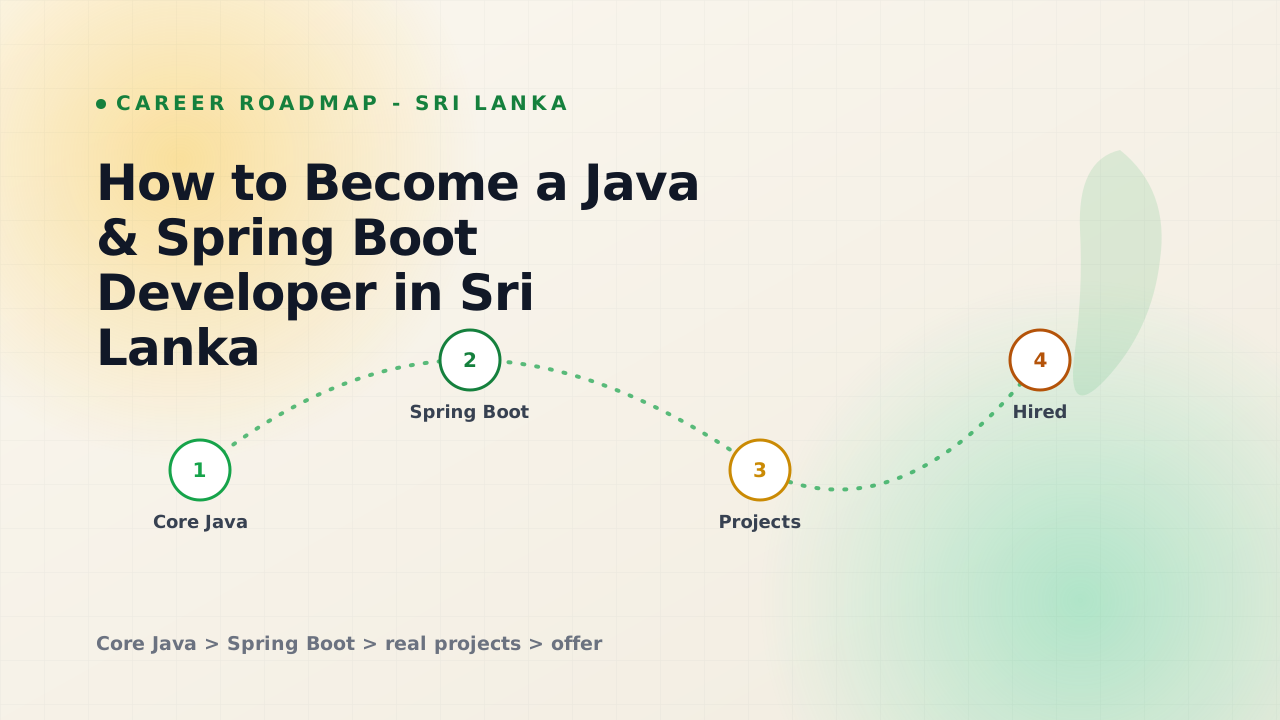
How to Become a Java & Spring Boot Developer in Sri Lanka
A practical roadmap to becoming a Java and Spring Boot developer in Sri Lanka - skills, projects, and how to stand out.
Building this portfolio: motion, shaders, and a CMS
A quick tour of how this site is put together - Next.js 16, Framer Motion, a WebGL hero, and a Supabase-backed admin for projects, blog, and tools.
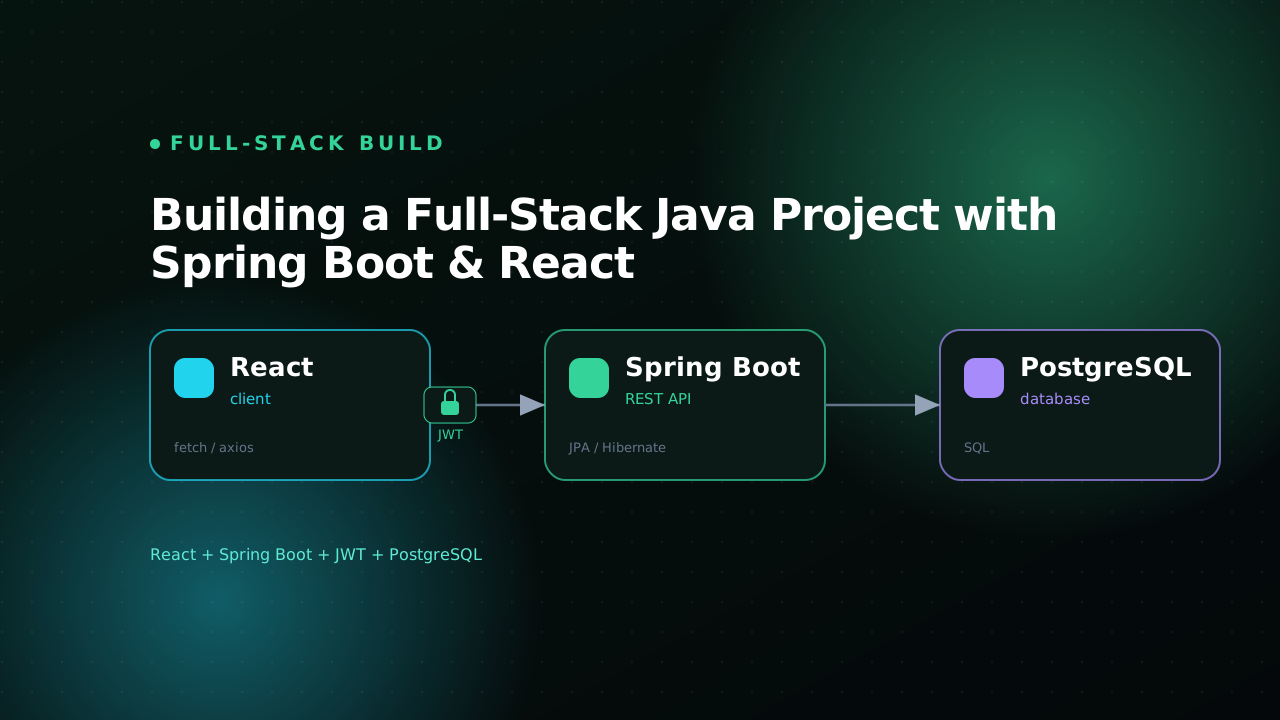
Building a Full-Stack Java Project with Spring Boot & React
A practical walkthrough of building a full-stack Java app with Spring Boot, React, JWT auth, and PostgreSQL.